
Salary Monitor is a desktop tool for combining fortnightly timesheets. Each employee submits one Excel file per period. Checking someone’s pay over several months or finding missing submissions otherwise means opening the files individually.
The tool arranges the imported workbooks by employee and period. After importing the latest files and resolving conflicts, the supervisor can preview the overview and export it to Excel.
Grouping timesheets by employee and period
Each timesheet contains daily attendance and a management settlement area. The application reads settlement data: employee number, name, period-ending date, and hours, rates, and totals across six Job Codes.
The employee number identifies the row group and the period identifies the column. Each employee has Hours, Rate, and Total rows, with recent periods on the left.
| Overview element | Meaning |
|---|---|
| Employee row group | Grouped by employee number; name is for display |
| Period column | A period present in the imported workbooks |
| Hours / Rate / Total | The settlement data for that period |
| Overall | Totals across that employee's imported periods |
Missing submissions stay blank rather than becoming zero. If no workbook exists for a period, no calendar-generated column is added. Those absences are part of what the supervisor needs to see.
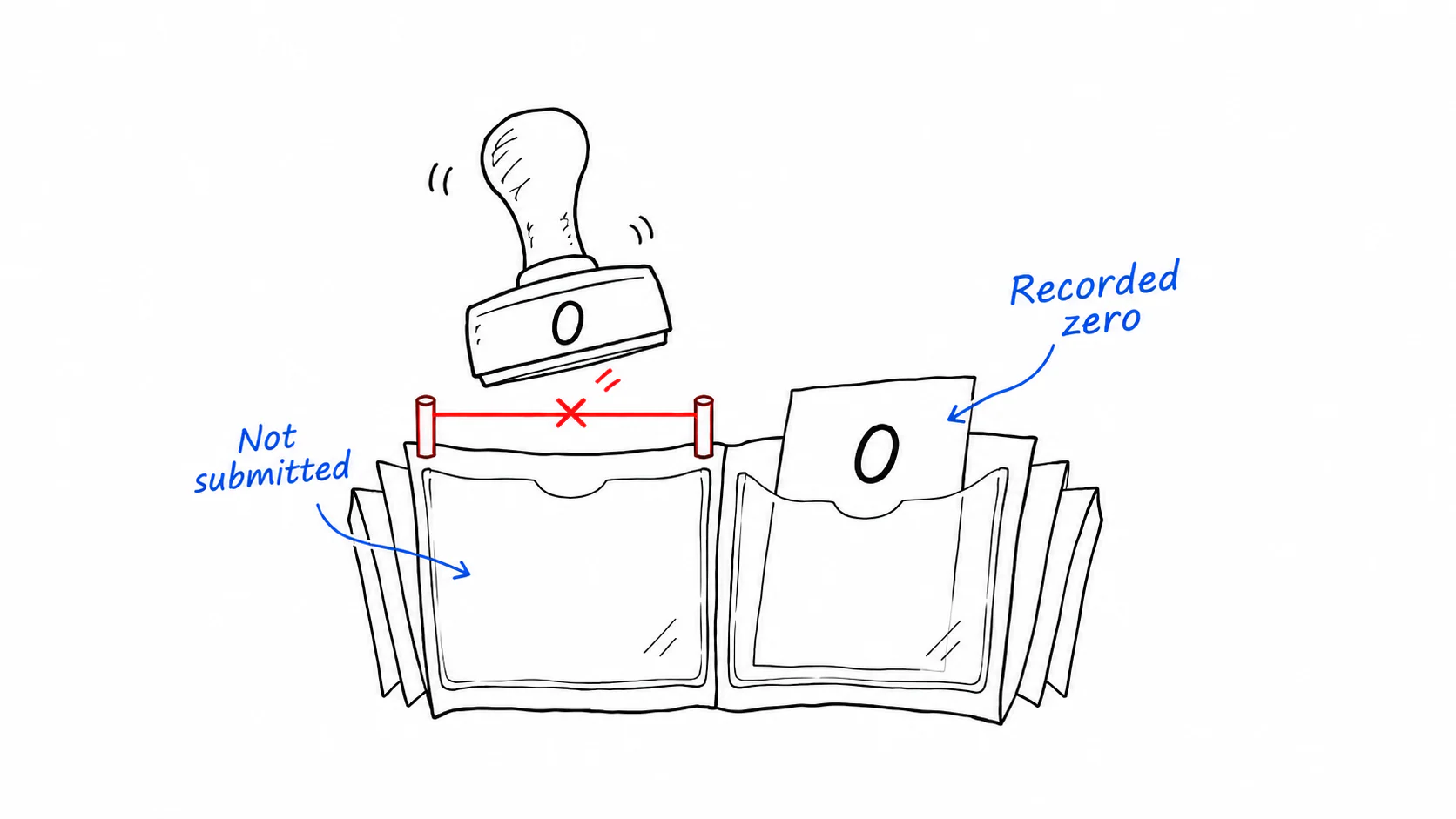 Keep missing timesheets blank and distinct from a recorded zero
Resolving import conflicts
Two files for the same employee and period require a decision. The final interaction follows the familiar file-copy conflict pattern: resolve one item at a time, see how many remain, and optionally apply the choice to subsequent conflicts.
Different names for an employee get a name picker. Conflicting dates, multiple Job Codes, and shifted templates remain visible as notes; unreadable files are listed separately. Readable files enter the import list, where selection determines whether they contribute to the overview.
Excel formulas require care too. A workbook may contain a formula without a cached result. That is different from an explicitly entered zero. Parsing preserves the distinction and the preview marks it, rather than producing an apparently complete sheet with incorrect numbers.
 Employee number and period locate one cell; resolve duplicate files before aggregation
Give the preview the full window
The first version permanently split the window between imports and preview. There were relatively few employees; the pressure came from twenty-five or more period columns across the year. The import list still occupied half the width after its job was done.
In version two, the overview fills the window. The import list sits in a right-side drawer, and conflicts open in a separate dialog. The status controls for imported, unsettled, attention-needed, and unreadable files stay visible and filter the list to the matching files.
Files and folders can be dropped anywhere in the window. An empty library presents a clear drop target; later imports show their results. Folder scanning is bounded so an accidentally dropped large directory cannot hold the interface indefinitely.
The preview follows the exported workbook's layout. Numbers and columns should occupy corresponding positions. An early red highlight for the newest column was removed from both preview and export together.
Local data and desktop packaging
Python handles extraction, data management, and Excel output. Vue provides the interface through a pywebview bridge. I also connect the real bridge during development to look for data-contract problems that browser fixtures alone might miss.
The packaged web interface must be one inlined HTML file. A desktop window loading file:// can reject external scripts and styles that worked in a dev server, leaving a blank window. The build checks that constraint.
The application can be packaged as a Windows folder and keeps data locally. The interface displays the active data directory for backup and migration.